It seems intuitive to click on the 'Create a Deal' button when starting a new deal BUT since associated contact info is required on each deal, you can save yourself time by starting a deal from a contact record instead.
What if you don't know the final client contact and company yet? It's ok! Associate the deal with whatever party you do know (i.e. A&D or CRE firm) and then update the company and add the client contact at a later time.
- Locate the contact you want to start a deal for (use the search bar at the top or go to CRM > Contacts from the main menu). If the contact isn't in HubSpot yet, add them using the Create a Contact tutorial.
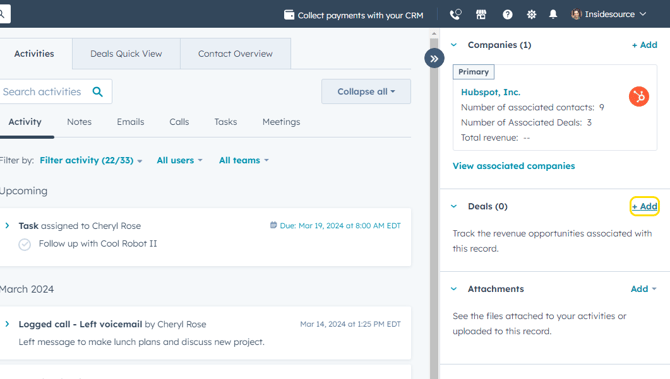
- On the contact's record, click + Add next to Deals in the right sidebar.
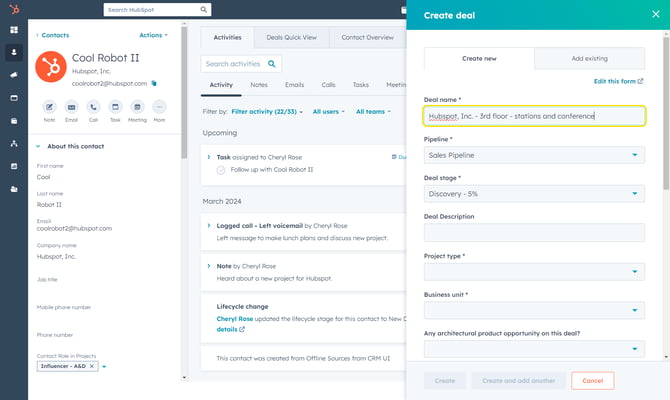
- Fill in the Create Deal pop-up. An asterisk (*) indicates a required field.
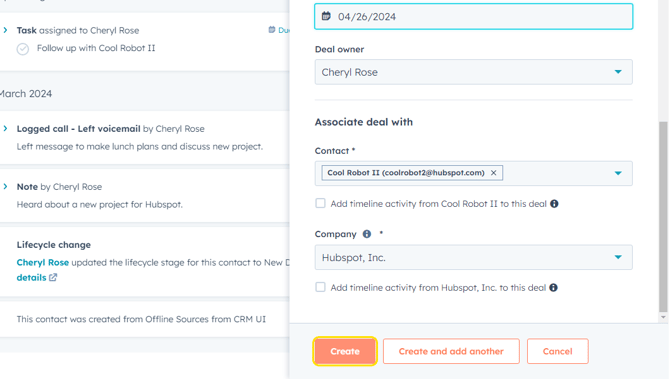
- Since the deal was started from a contact record, the appropriate contact and company are already associated at the bottom. You are able to change these selections using the dropdown arrows if they are incorrect.
To create the deal, click Create.