
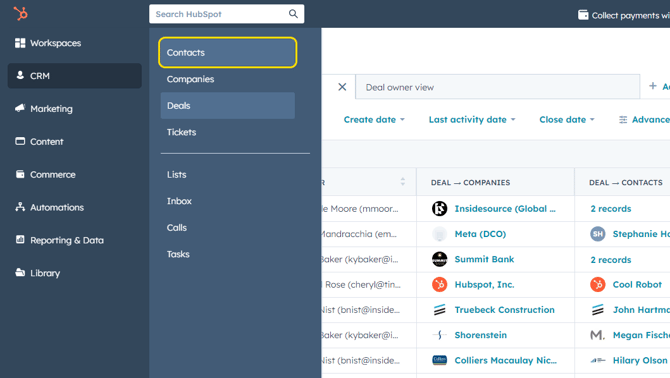
- Open the left sidebar navigation and click CRM > Contacts.
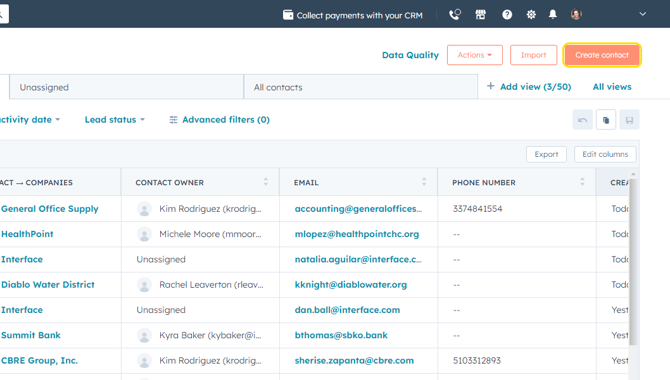
- Click on Create Contact on the far right.
- Fill in applicable fields in the pop-up. A field with an asterisk (*) is required.
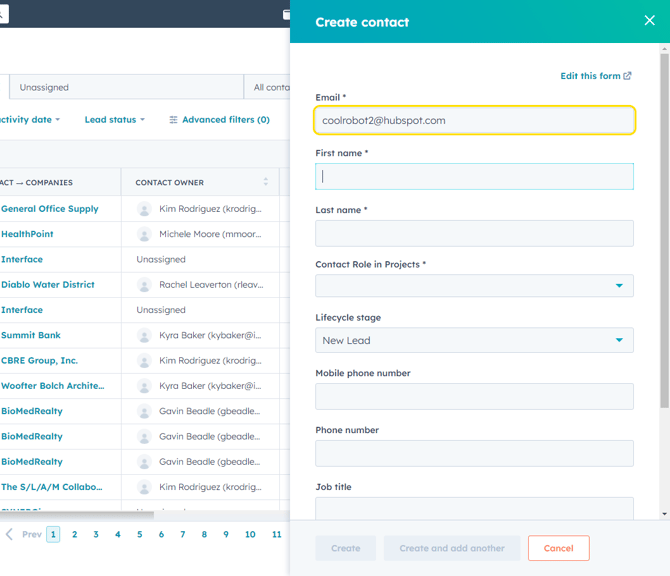
- Click on Create at the bottom of the pop-up or Create and add another if you want to enter more than one contact.